Staff and driver assignment
Full operational visibility into active staff presence, live workflow task allocation, individual worker throughput, handling time benchmarks, and shift performance comparison across your entire facility.

Go to Dashboard under Home and click the Employee Productivity tab. Select your warehouse facility from the top header dropdown menu to isolate performance metrics and staff tracking to that location.
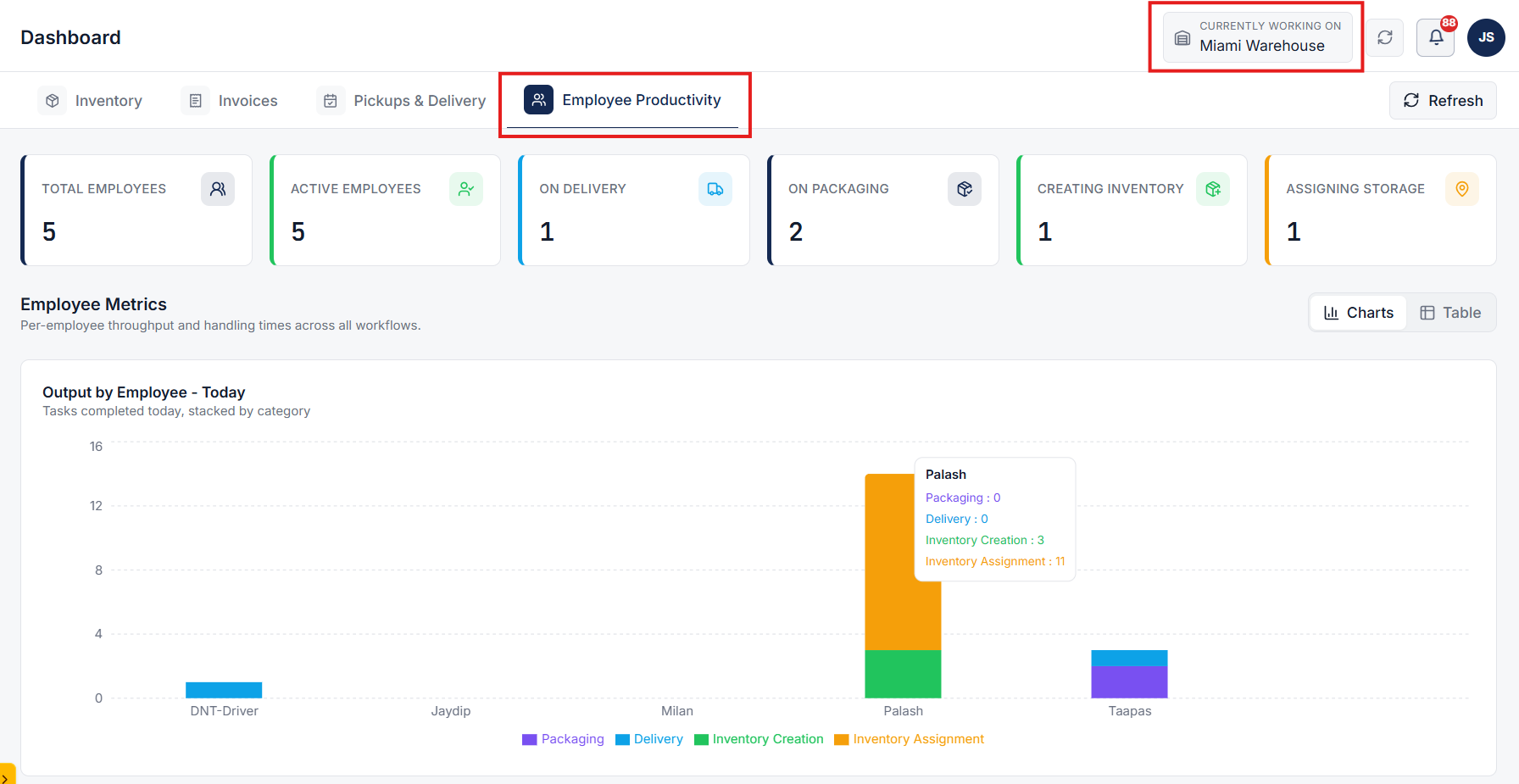
Monitor real-time staff counts, active shift statuses, and workforce distribution across all core warehouse operational stages.
Use the Output by Employee - Today section (toggleable between Charts and Table views) to inspect individual completed task counts across operational categories.
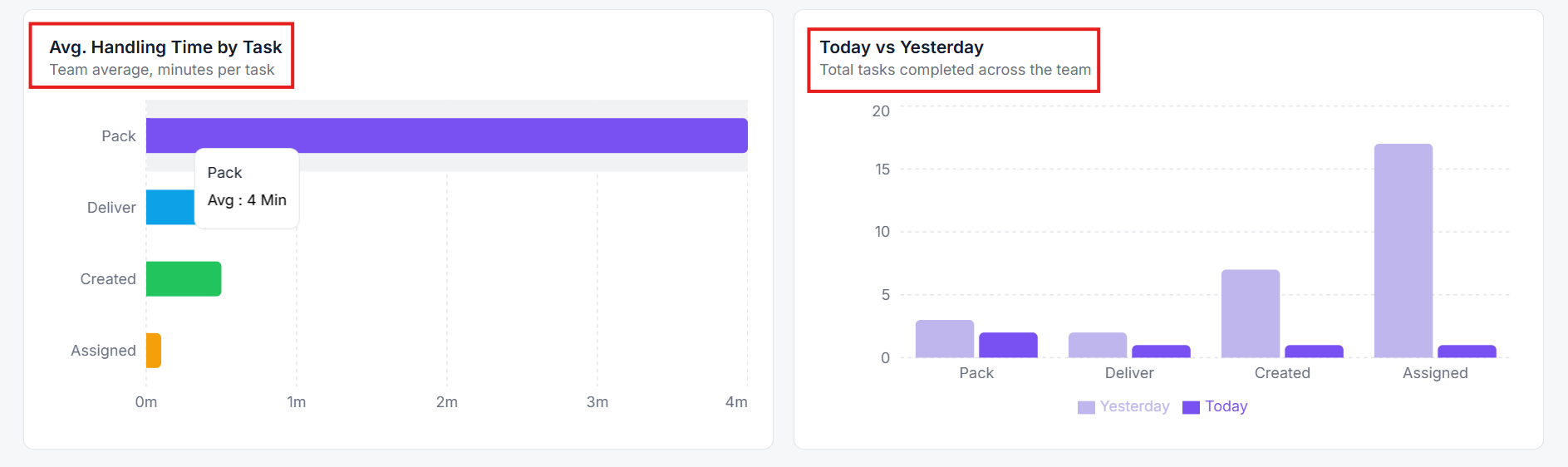
Evaluate team efficiency using the Avg. Handling Time by Task chart (in minutes per task) and compare daily shift throughput trends (Today vs. Yesterday).
Clear answers on how this feature integrates into your daily liquidation workflow.
Yes. Floor staff and drivers show in one view, with the jobs assigned to each person. Filter by warehouse when you run more than one site.
Assignments plus the work that followed: who picked, moved, or delivered an item, and when. You get coverage of the floor without a separate report.
By seeing live job progress and completed tasks per team member, managers can reassign active workloads and resolve bottlenecks in real time.
See the whole flow, from manifest import through grading, lot building, and buyer pickup, in a 30-minute walkthrough.