Custom storage layouts
Set up storage structures that reflect your physical warehouse layout, naming rules, and operating needs.

Navigate to the Warehouse section from the main navigation menu.
Here, you can manage your facilities and customize storage layouts for each location.
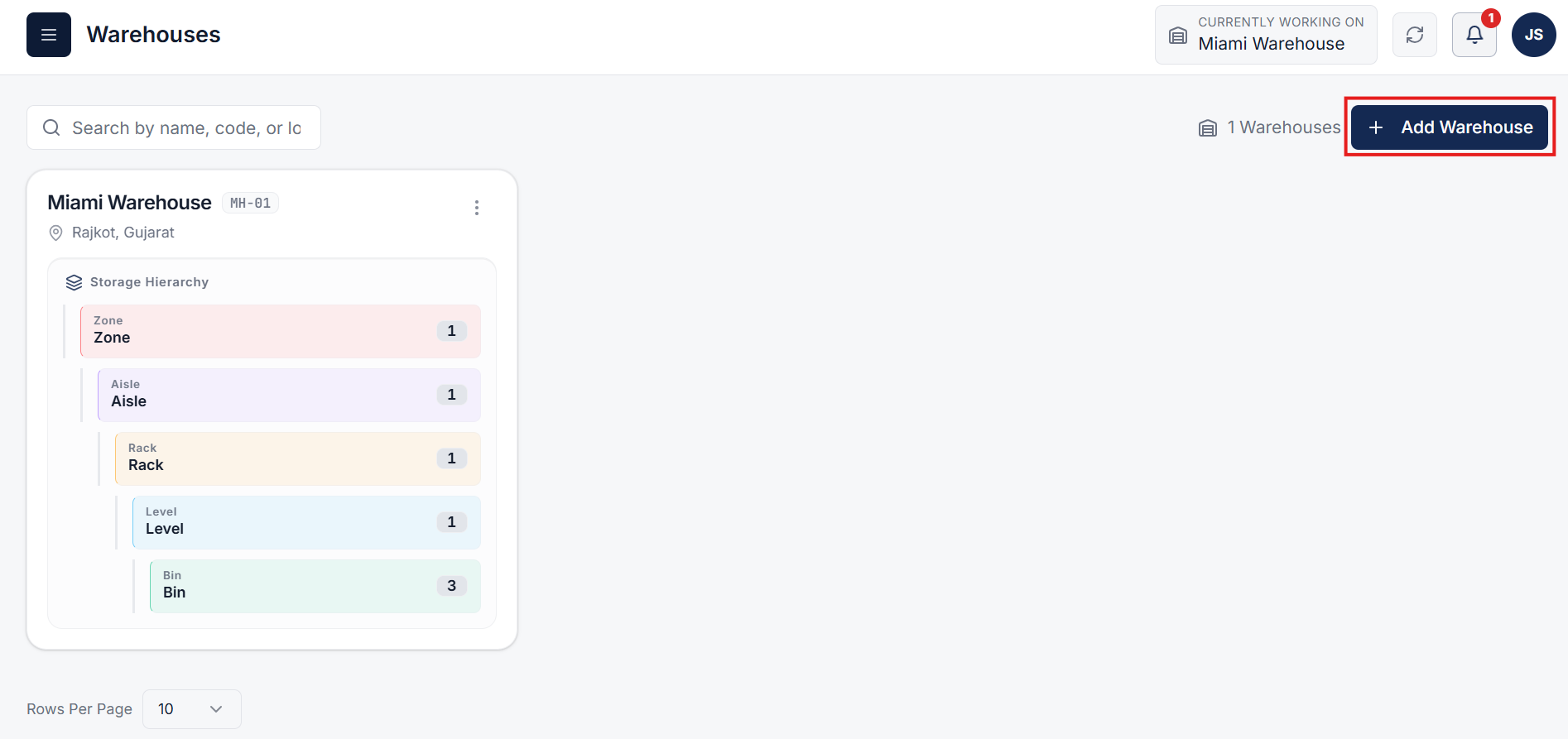
Click on the Add Warehouse button (or select an existing warehouse) to open the warehouse and storage setup configuration popup.
Fill in the required facility details including name, warehouse code, and location.
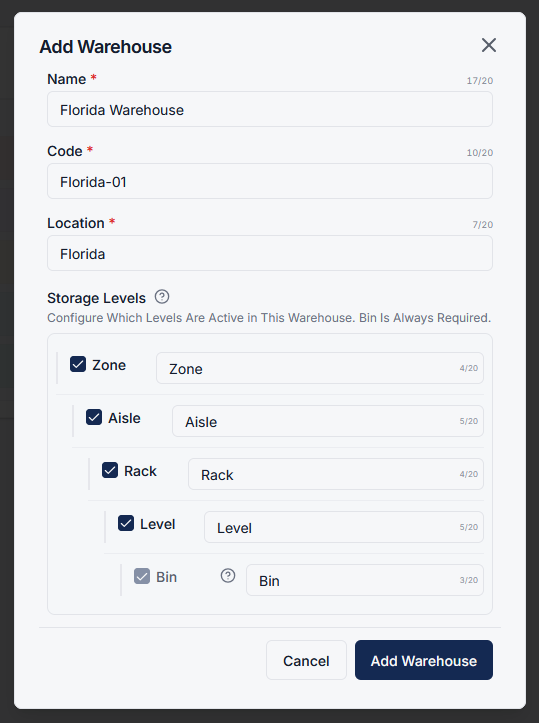
In the Storage Levels section, you can customize how storage is structured for this warehouse.
Example:
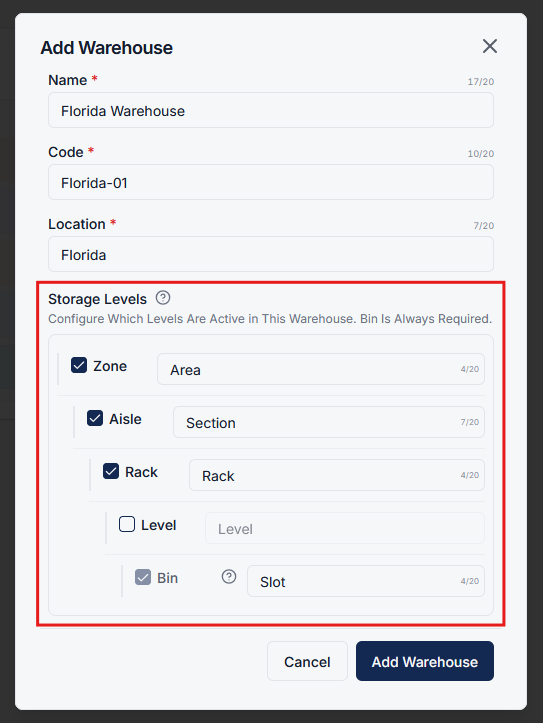
After configuring storage levels, click on Add Warehouse.
The new warehouse will now use your customized storage structure, tailored to your workflow.
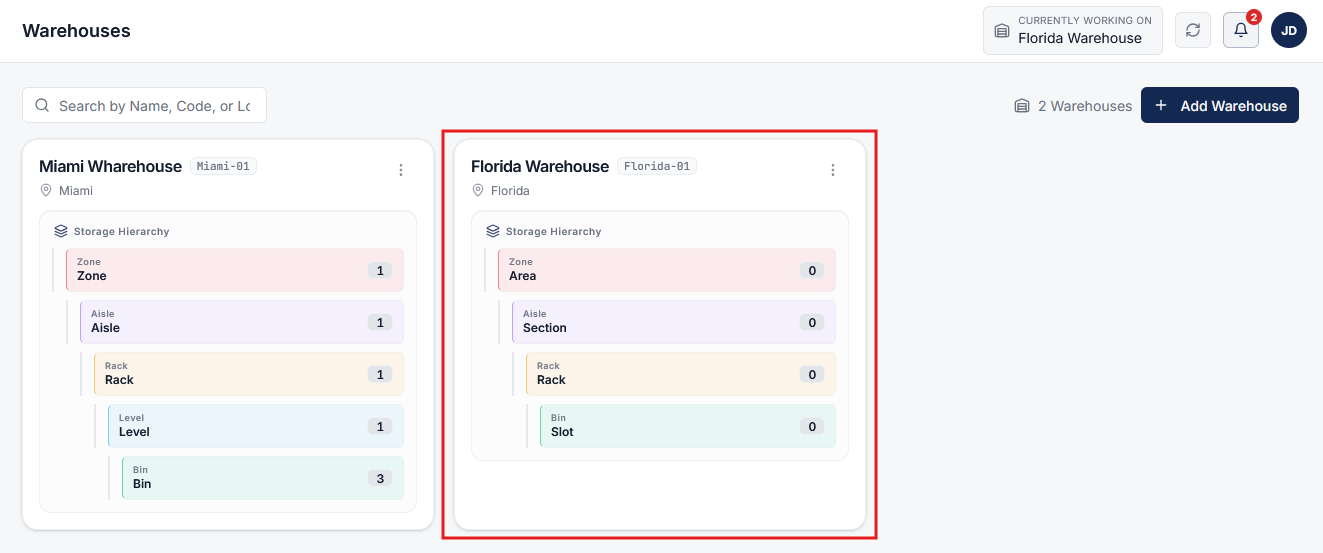
Custom storage management allows you to:
This ensures your warehouse setup is flexible, efficient, and aligned with your business processes.
Clear answers on how this feature integrates into your daily liquidation workflow.
Yes. Each level has a name you can change. Call Aisle a Section, or Bin a Slot, so the system matches how the floor already talks.
Yes. Disable Zone, Aisle, Rack, or Level if you do not use them. Bin stays required so every item still has a home.
Yes. Each warehouse profile can have its own independent storage structure, enabling simple single-tier yards alongside multi-tier distribution centers.
See the whole flow, from manifest import through grading, lot building, and buyer pickup, in a 30-minute walkthrough.