Invoices from hammer to paid
Manage each order from intake to fulfillment inside one coordinated warehouse workflow with better operational visibility.

When an invoice is created, it automatically appears in the system. Go to the Sales section from the main navigation menu and select Invoices.
Here, you will find a complete list of all generated invoices across your operations.
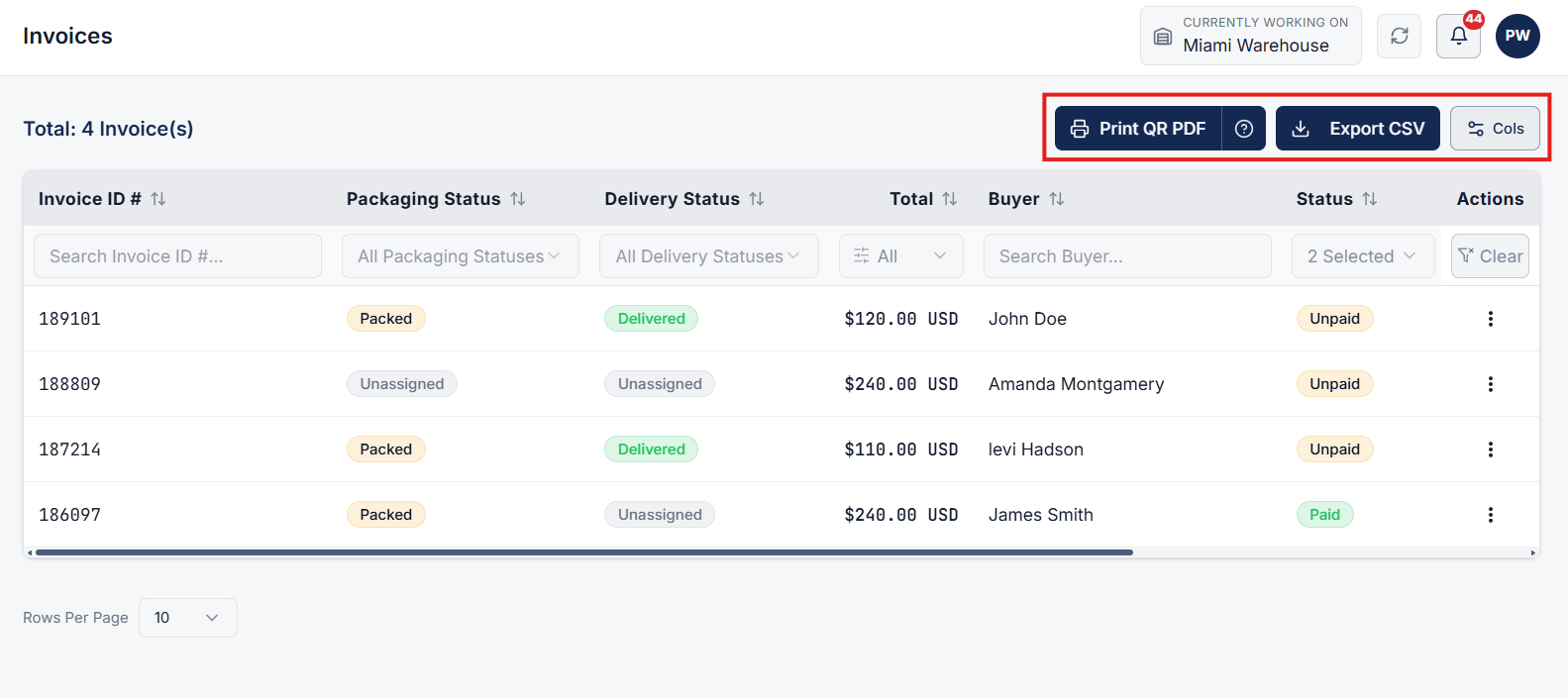
On the Invoices page, review your active invoice list. You can perform quick bulk or individual actions:
Click on any invoice row from the list to navigate to its dedicated Invoice Details page.
This page presents an all-in-one view of the order's operational lifecycle and status.
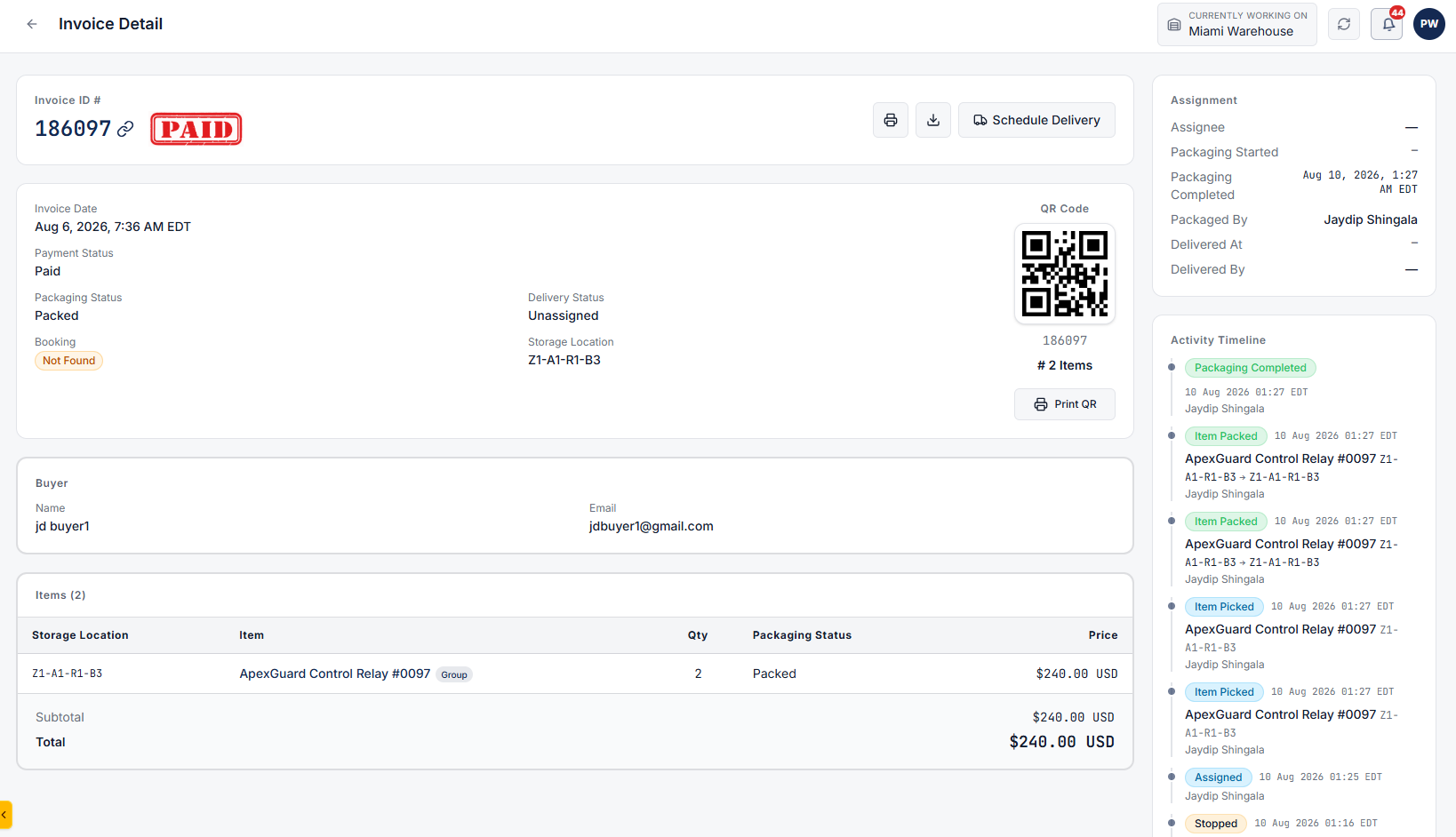
From the Invoice Details page, you can:
Clear answers on how this feature integrates into your daily liquidation workflow.
Open Sales, then Invoices. Click a row to see payment, packing, and delivery status plus the buyer and delivery address.
Yes. Print from the list or export invoice records to CSV. From the invoice page you can also download a PDF.
Status transitions automatically from Invoiced to Packing, Packed, and Delivered as warehouse staff scan barcodes and drivers complete proof of delivery.
See the whole flow, from manifest import through grading, lot building, and buyer pickup, in a 30-minute walkthrough.